Pages

Showing posts with label ASUS. Show all posts

09 March 2012

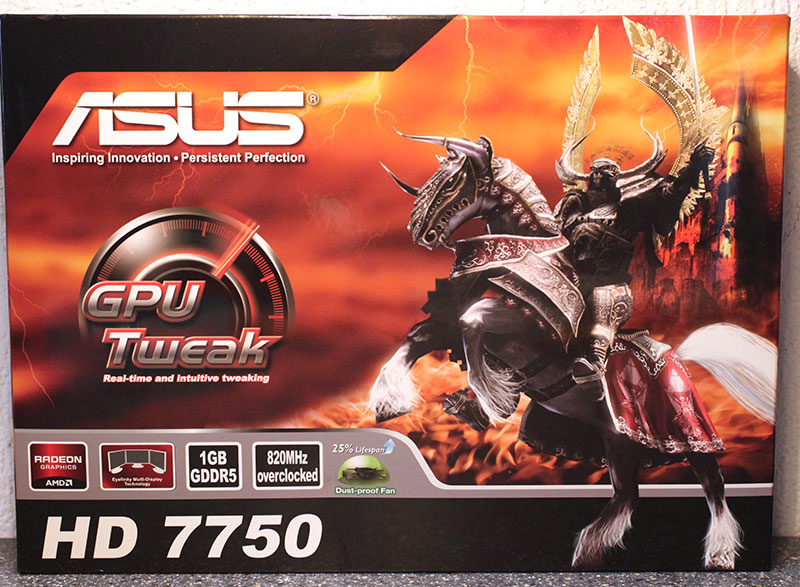
ASUS Radeon HD 7750 1 GB

Introducing ASUS Radeon HD 7750 1 GB.
Two weeks ago AMD launched their Radeon HD 7700 Series. The cards use the all-new Cape Verde graphics processor which is based on AMD's new GCN Graphics Core Next architecture that promises increased performance and lower power draw.

Cape Verde is a downscale from the "Tahiti" silicon, on which higher Radeon HD 7900 series parts are based. There are fewer number of redundant components, so Cape Verde is left functionally-identical to Tahiti, but is smaller, built for more affordable graphics cards. Cape Verde also retains the basic hierarchy of the architecture as implemented in Tahiti.


The ASUS Radeon HD 7750 is a custom implementation of the HD 7750, using a custom heatsink and increased clock rates of 820 MHz GPU and 1150 MHz memory.

Packaging


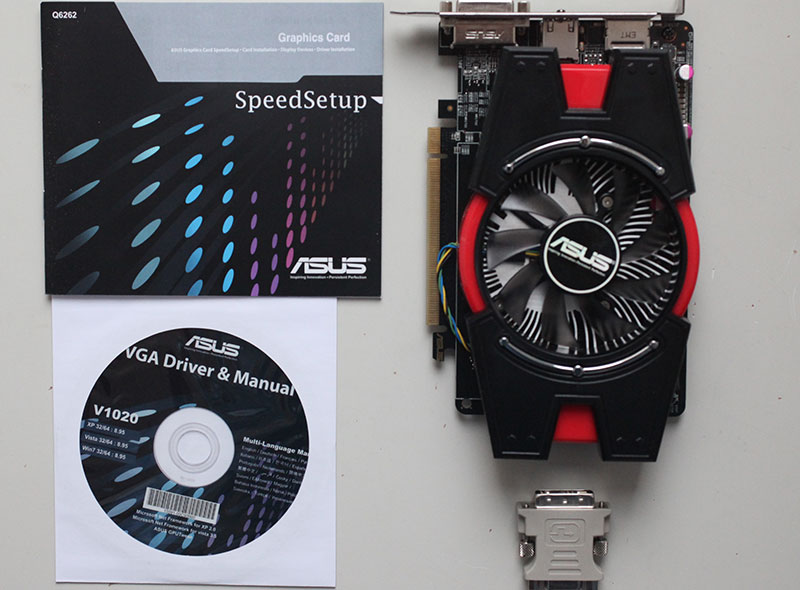
Contents


You will receive:
  • Graphics card
  • Driver CD + Documentation
  • Analog VGA Adapter


23 January 2012

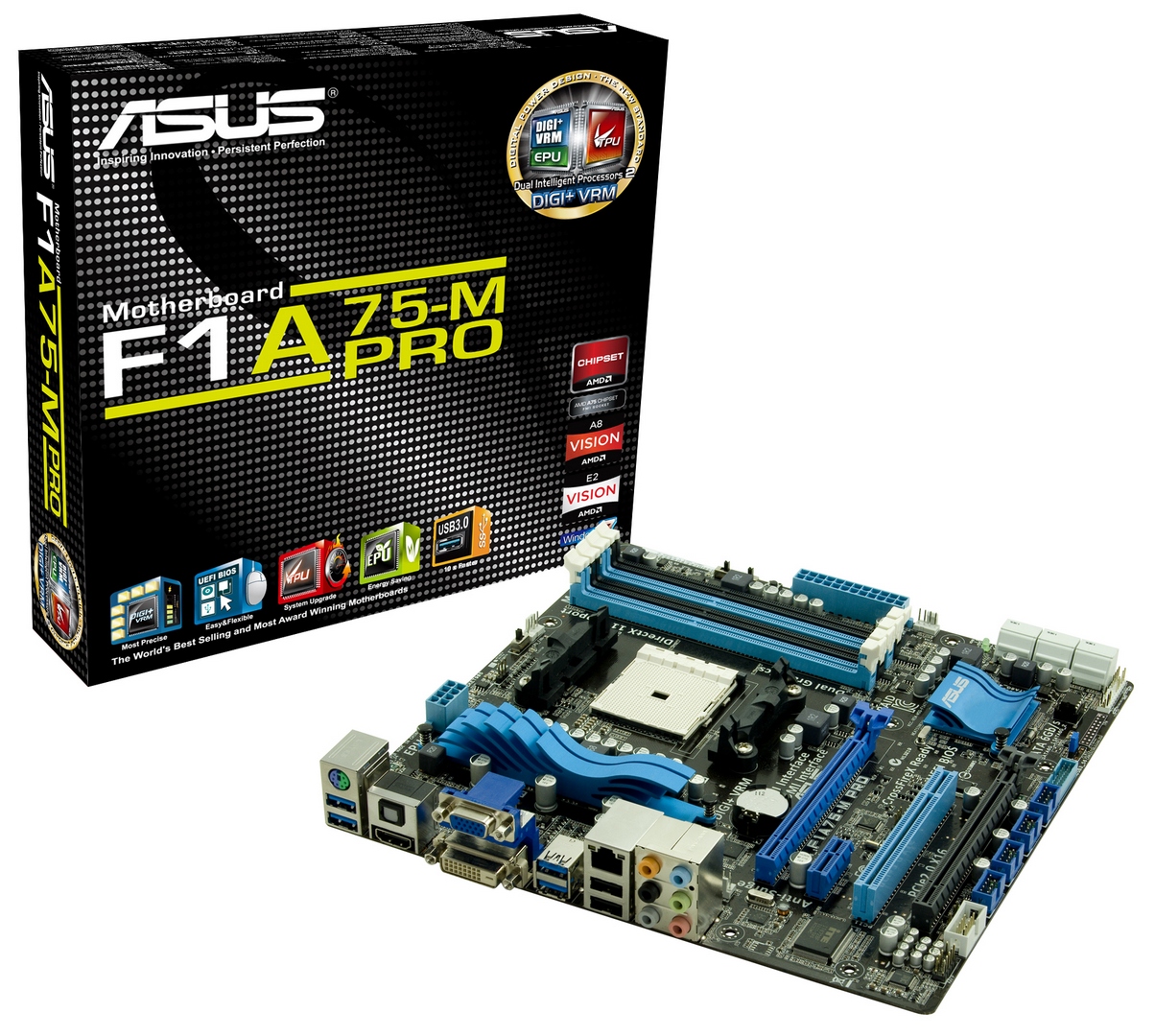
ASUS F1A75-M Pro Review - Micro-ATX Llano

Introducing ASUS F1A75-M Pro


  ASUS F1A75-V Pro ASUS F1A75-M Pro ASUS F1A75-I Deluxe
Size ATX Micro ATX Mini-ITX
Price (01/16) $120 $110 $140
Power Phase 6+2 4+2 4+2
Memory 4 x DDR3 4 x DDR3 2 x DDR3
PCIe 1 x PCIe x16
1 x PCIe x4
2 x PCIe x1
3 x PCI
1 x PCIe x16
1 x PCIe x4
1 x PCIe x1
1 x PCI
1 x PCIe x16
CrossfireX/SLI APU + Normal CrossfireX APU + Normal CrossfireX APU CrossfireX
Audio Realtek ALC892 Realtek ALC892 Realtek ALC892
LAN Realtek 8111E Realtek 8111E Realtek 8111E
SATA 6 Gbps 7 + 1 eSATA 6 4 + 1 eSATA
USB 3.0 4 + 2 4 + 2 2 + 2
USB 2.0 2 + 8 2 + 8 4 + 2

Size obviously has advantages - a full size ATX board has room for better power delivery, a broader range of PCI/PCIe options, and scope for more controllers (e.g. SATA 6 Gbps).  In the micro-ATX smaller form factor, most of the features are still there - ALC892 audio, gigabit Ethernet, at least 6 SATA 6 Gbps ports, 4 USB 3.0 ports, and opportunities for up to 16 GB of memory with 4 GB DIMMs.  It's only on the mini-ITX we lose some functionality - only 4 SATA 6 Gbps on board (plus one eSATA), room for only 8 GB of memory, and no PCI/PCIe x1 slots.  But the advantage of a small board is primarily its size, for a sleeker and slimmer system.  The question then becomes whether the F1A75-M Pro, the micro-ATX board, is worth $10 less than the ATX board as a whole.
 
Visual Inspection
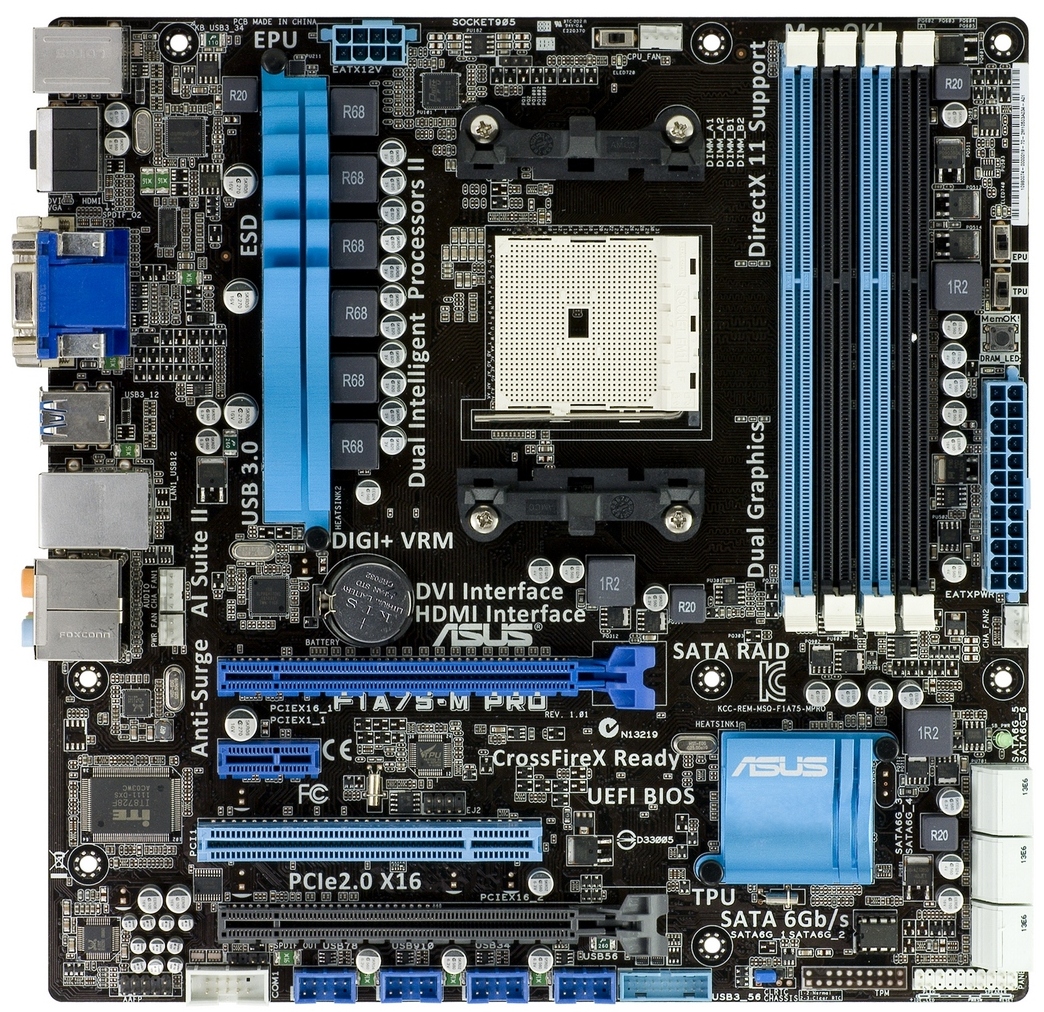
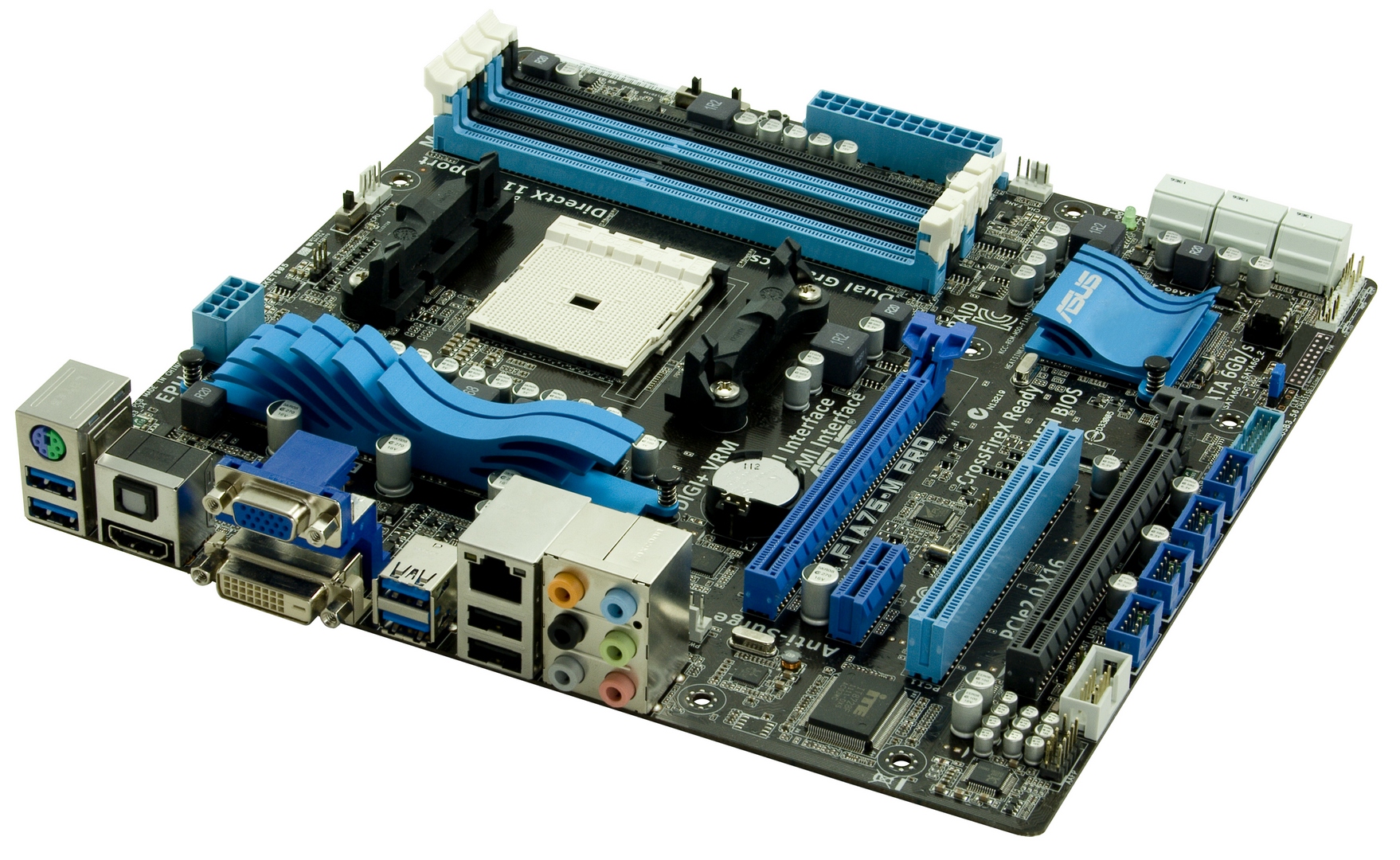
The black and blue livery of ASUS systems of late has been the stalwart of their consumer level line-up, and appears again here on the F1A75-M Pro, with a little white for the SATA ports.  The wavy design with pretty substantial fins for both the VRM and South Bridge heatsink could be considered more style rather than substance, but due to the motherboard supporting 100 W processors, the VRM heatsink may be required to shift a lot of heat and it should be sufficient to cope due to ASUS’ careful attention to detail in their design.

We also have EPU and TPU (Energy Processing Unit and Turbo Processing Unit) chips present.  These two have separate roles - to reduce the carbon footprint of your computer with the EPU processor, and the TPU processor is there to diagnose the system for an optimal overclock when either the TPU switch is used or the BIOS option is enabled.

Working our way around the board, you will notice that there are four fan connections available. The CPU fan is located above the socket, and in the lower left half of the socket area there are two more fan connections available - one of them is a PWM based chassis fan header whilst the other is the PWR header which is 3-pin. The final header can be found on the right-hand-side of the motherboard just below the 24-pin power and it is a chassis fan which is also PWM based. Unfortunately, you do not have option to control the two chassis fans independently in the BIOS nor in the software.

Looking at the expansion options on this motherboard; there are two PCIe x16 slots which run at x16/x4 when in a CrossFireX setup, resulting in limited bandwidth of the second GPU, as detailed in our previous A75 reviews. Also on board is a PCIe x1 as well as a single PCI slot.
As SATA 6 Gbps is native on this platform, there are no SATA 3 Gbps ports to be found. There are six ports in total and they support RAID with the option to use RAID 0, RAID 1, RAID 10 or JBOD.  These are all in white on the bottom right of the board.
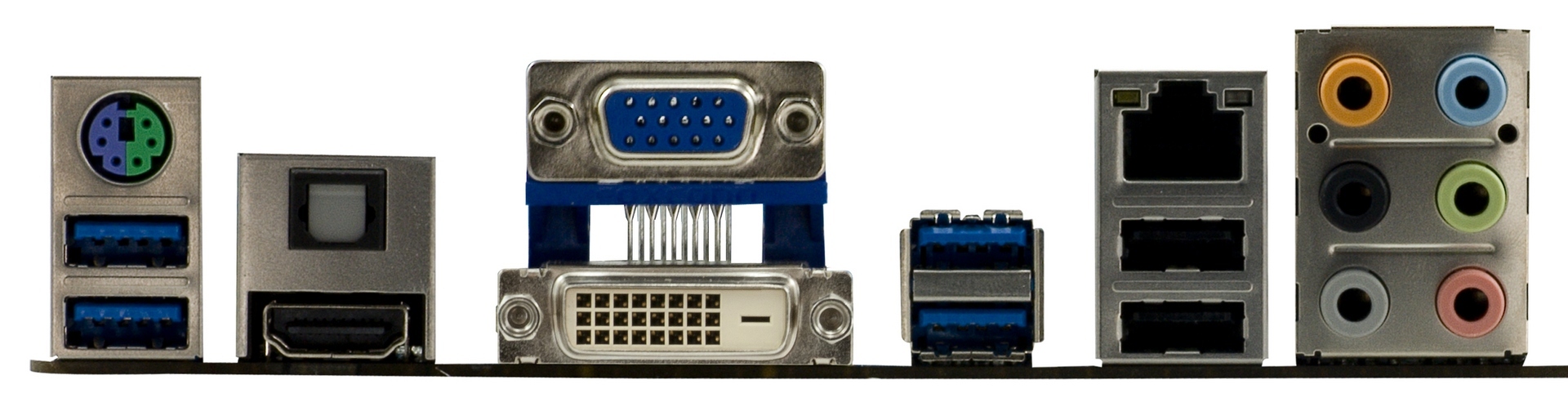
On the back panel of the board, from left to right, we have a combined PS2 port, two USB 3.0 ports, a HDMI output, an optical SPDIF output, as well as VGA and DVI-D ports for your display outputs. Further along, there are two more USB 3.0 ports and two USB 2.0 ports with a gigabit LAN port above. Lastly, there are the six ports for your various sound inputs and outputs.

12 January 2012

ASUS Radeon HD 7970 CrossFire

Introducing ASUS Radeon HD 7970

AMD's Radeon HD 7970 was successfully launched on December 22 last year as the fastest single GPU graphics card in the world. Until today only reviews of AMD cards were allowed, so today we bring you a review of the ASUS Radeon HD 7970 in multi GPU CrossFire mode.


Instead of just placing a simple sticker on their HD 7970, ASUS has decided to go with a little bit more effort. The company has put a 3D shaped metal "cap" on the middle section of the card, where usually an ATI red shines. As you can see from the picture above, the ASUS design looks mighty good and clearly improves the looks of the Raden HD 7970. Great job ASUS! For overclockers ASUS includes their own GPUTweak software which supports the HD 7970 for overclocking, voltage control and GPU information.

In terms of specs, the card comes at the same clock speeds as the AMD reference design, running at 925 MHz core and 1375 MHz memory. Pricing is unchanged too, $550 for a single card, twice that, $1100 for the dual card CrossFire combination we test in this review.


Test System


 Benchmark scores in other reviews are only comparable when exactly the same hardware & software configuration is used as in this review.


  • All video card results were obtained on this exact system with the exact same configuration.
  • All games were set to their highest quality setting unless indicated otherwise.
  • AA and AF are applied via in-game settings, not via the driver's control panel.
Each benchmark was tested at the following settings and resolution:
  • 1024 x 768, No Anti-aliasing. This is a standard resolution without demanding display settings.
  • 1280 x 1024, 2x Anti-aliasing. Common resolution for most smaller flatscreens today (17" - 19"). A bit of eye candy turned on in the drivers.
  • 1680 x 1050, 4x Anti-aliasing. Most common widescreen resolution on larger displays (19" - 22"). Very good looking driver graphics settings.
  • 1920 x 1200, 4x Anti-aliasing. Typical widescreen resolution for large displays (22" - 26"). Very good looking driver graphics settings.
  • 2560 x 1600, 4x Anti-aliasing. Highest possible resolution for commonly available displays (30"). Very good looking driver graphics settings.

04 December 2011

Asus Zenbook UX31 Laptop Review

Zenbook Introduction

Today HardwareLOOK we have been able to get our hands on one of Asus’s proudest and most stylish laptop products on the market to date, the Asus Zenbook UX31. The Zenbook series is one of the most portable of all of Asus’s range, but yet retaining some extreme power. It’s fair to say that the Zenbook can be classed as a ultra laptop. It is and has everything you would look for in a laptop designed to be portable, of which all laptops are, but some still managed to be very stationary products, but not with the powerful Zenbook.

Features

  • Incredible 3mm at the front and 9mm at the rear
  • Spun metal and hairline aluminium for incredible beauty
  • ASUS exclusive Super Hybrid Engine II with instant on 2-second resume, four to five times the standby time, automatic data backup and recovery, and 25% longer battery life!
  • SATA Revision 3.0 solid state drive and UsSB 3.0 incredible speed of data transfer rates
  • SonicMaster technology co-developed with Bang & Olufsen ICEpower increases audio performance with lifelike surround impact
  • The latest Intel Core processors
Specification

CPU Support:
  • Intel Core i7 2677M Processor
  • Intel Core i5 2557M Processor
OS Support:
  • Genuine Windows 7 Professional 64bit
  • Genuine Windows 7 Home Premium 64bit
  • Genuine Windows 7 Home Basic 64bit
  • This version contains all product updates (SP1)
Chipset Support:
  • Intel QS67 Express Chipset
Ram Support:
  • DDR3 1333 MHz SDRAM, OnBoard Memory
Display Output:
  • 13.3" 16:9 HD+ (1600x900) LED Backlight
Graphics Output:
  • Integrated Intel HD Graphics 3000
  • Graphics RAM Type: DDR3 SDRAM
Storage Support:
  • SATA3
  • 128GB SSD
  • 256GB SSD
Additional Support:
  • 2 -in-1 card reader ( SD/ MMC)
  • Integrated 802.11 b/g/n / Built-in Bluetooth V4.0
  • 1 x Headphone-out jack (Audio-in Combo)
  • 1 x USB 3.0 port(s)
  • 1 x USB 2.0 port(s)
  • 1 x micro HDMI
  • 1 x Mini VGA
  • 50 Whrs Polymer Battery
Box Contains:
  • Asus UX21 notebook
  • Battery
  • Power Cord
  • User Guide

Asus Zenbook UX31 Design

The Asus UX31 Zenbook maybe very similar in design compared to its predecessor and even another specific product from a company named after a fruit, we know who and what I’m talking about, but you can’t get away from that fact that it is what it is, and what it is, is super sleek, refreshing, with a very respectable about of power. The Zenbook is very elegant with that brushed aluminium finish. The Zenbook sports just a 3mm in front and a 9mm thin body in the rear, that 3mm acute angle is magnificent t look at, and really does give more of a feeling of weightlessness. The weight of the Zenbook is a again tiny 1.3 kg which is 315 grams. The Zenbook is one of those rare things in this world that to judge the glory of it for yourself, you really do have to feel it for yourself, the quality of the materials are great. One of the best things about the Zenbook is no fingerprints are visible except for the screen of course. The metal surface, which has a concentric circles design, making it extremely eye-catching.


23 November 2011

Asus P9X79 Deluxe Motherboard Review

We have Asus’ new P9X79 Deluxe motherboard that we’re going to be reviewing but first let’s have a look at the new X79 Express Chipset from Intel. This is Intel’s latest enthusiast level chipset that will replace the venerable X58 chipset.
This new chipset adds quite a few new features and that are sure to make this new chipset a must-have for the enthusiast and hard-core gamer alike. First off this new chipset adds support for Intel’s latest socket of processors, the 2011 socket. We tested this particular board with their new flagship processor, the 3960x six core that runs at 3.3 Gigahertz and also has Hyperthreading. This new processor is manufactured on Intel’s 32nm process and features support for quad channel memory. These processors currently retail for about 1050 dollars and aren’t sold with any heat sink or fan from what we’ve seen from the online retailers. Our processor came with an all-in-one liquid cooling solution that is very similar to Corsair’s H50 water cooling unit.

 
One of the first things that stand out when you first see one of these new boards is that there are memory slots on either side of the processor.  This particular board has a full eight slots for memory expansion which allows for a total of 64 gigs of ram to be installed. Quad channel is meant to make it easier for the CPU to address memory for the applications that need it and this should also increase performance. Our benchmarks will show if this actually adds up to the performance that it’s meant to. There is a drawback to this design though. If you are using taller memory you may have a problem with some CPU heat sinks. With the lack of motherboard real estate there could be some clearance issues with taller memory sticks and some of the larger heat sinks. This new memory architecture is also supposed to support speeds up to 2400 MHz of DDR3 with overclocking.

Another feature that Intel has added to this new chipset is that it features their Express Platform Controller Hub technology. This isn’t all that new for Intel but it means that instead of having a traditional south bridge and north bridge configuration there is just a single chip that relays information from the motherboard’s peripherals to the processor. This has the potential of reducing heat generation and power consumption. It also frees up valuable real-estate for other features like debug LEDs and switches for power, system reset, and BIOS reset for example. From our testing we noticed that none of the heat sinks on the board became too hot to touch during our testing. So it would appear that this technology actually does reduce overall temperatures. This chipset also features support for 40 PCI e 2.0 lanes and 8 PCI e 3.0 lanes for graphical and expansion cards. PCI e 3.0 isn’t supported yet by any of the current graphics cards but will hopefully be implemented in the next generation of cards.

This motherboard comes with a whole host of amazing features that are going to help to set this board apart from the competition. Now that we’ve gone over the main features of the chipset let’s go over the specific features that this new motherboard from Asus brings to the table.

This board is very well laid out and has really nice looking heat sinks that cover the hottest areas of the board. There is also a heat pipe that helps to direct the heat away from the hottest areas in order to make the board last longer and run more stable. At the bottom of the board you’ll find a debug LED to help troubleshoot boot errors and there are also switches for power, reset and clear CMOS.

These boards support the new quad channel memory architecture for installing up to 64 gigs of DDR3 memory up to 2400MHz with overclocking. These slots will also support Intel’s XMP technology for automatic speed settings that will make installation as simple as possible. This new architecture simply allows the processor to address four channels of memory at once for improved performance. As I stated above, the only drawback to this might be installing larger processor heat sinks that give the necessary clearance for taller memory sticks. This is something to keep in mind when purchasing an aftermarket cooler for your 2011 socket processor.  


Asus has nicely laid out the PCI e slots on this board. If you are running one or two cards you’ll get the full x16 bandwidth. When running more than two cards you’ll get x16, x8, and x8. These are spaced in accordance with Asus dual spacing policy so that you can run three cards in a multi-graphics configuration. Asus has made this their policy because spacing has been a problem in the past and not everyone is going to water cool their graphics cards just so that they can use them in single slot spacing. This shows that Asus has been paying attention to what their customers want and this particular spacing will even give you the option to run triple slot cards in dual card configuration. You will need to make sure that your case supports at least 8 expansion slots for this to work.