Pages

09 March 2012

XFX 1000W Pro Series 80 Plus Platinum

Introducing XFX 1000W Pro Series 80 Plus Platinum

We've recently tested the first 80 Plus Platinum PSUs to hit our labs, courtesy of Seasonic and Enermax. Both were good if expensive PSUs, and next up on the test bench is a Platinum series that's sold by a brand without their own PSU factory: XFX. They sent us their newest product, the Pro Series 80 Plus Platinum Black Edition, which sets its sights on the high-end of the market. XFX has created an interesting casing with some unusual elements, but we need to find out how good this model acutally is.
While efficiency is all the marketing rage in the world of PSUs, we should keep in mind that many manufacturers are trying to reach 80 Plus Platinum levels using some "tricks". As we noted in our Seasonic article, there are various routes to higher efficiency, like removing resistors that may fill other roles. Shunt resistors for example transform some of the power into power loss when current flows through it, since there is a voltage drop. That's actually their job as they measure and prevent overcurrent in an indirect way. So let's see how XFX reached the requirements for 80 Plus Platinum (90%/92%/89% efficiency at 20%/50%/100% load), as well as look at how the XFX model fares in an increasingly crowded market.
XFX has historically tried to cater to gamers, and the external design of the XFX Pro (as well as their other PSU lines) tends to go with an angular and "futuristic" vibe. While the exterior may or may not appeal to your gamer sense, ultimately it's what's inside that matters, and in this case we can see that Seasonic provides the electronics (as you can see from the picture below). We recently awarded Seasonic our Gold Editors' Choice Award for the high quality PSU they provided and this trend seems ready to continue. In any case, XFX made a good choice with the manufacturer. This design offers low ripple and noise results on all output voltages, high-quality capacitors from Japan, and several technologies to increase efficiency. Even so, XFX changed some details such as the fan for cooling.
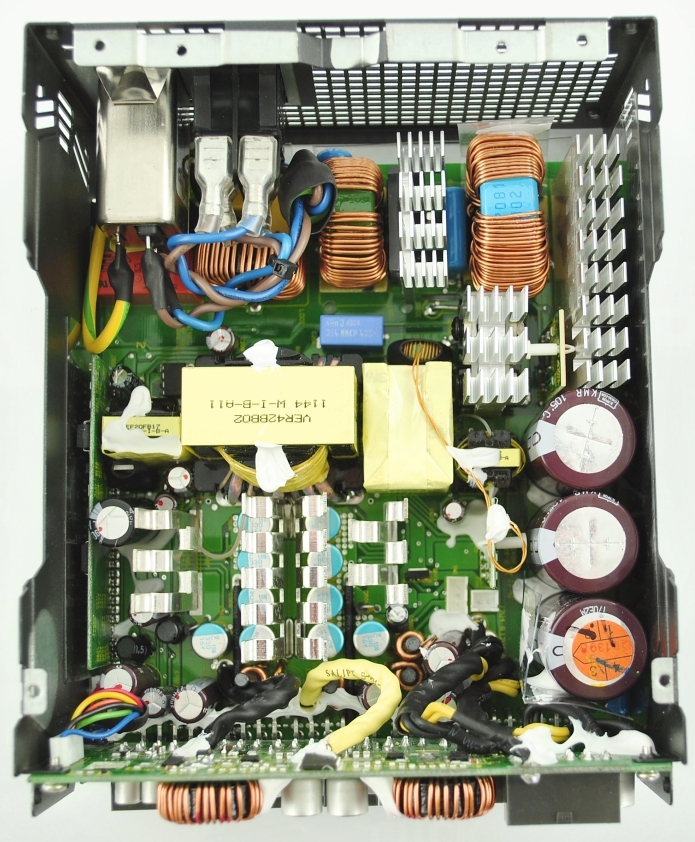
The question then is whether XFX's design is as good as or even better than the original Seasonic that we tested, and if the alterations made to the core design change the product as a whole. In addition, we would like to take the opportunity to let you know that we will be reviewing some lower wattage Platinum PSUs soon; this will definitely be the last 1000W PSU for the first have of this half-year. Our next reviews will test some 400W-500W power supplies from other brands that use more common designs. Today however we will continue with our high-end testing with the 1000W model from XFX. Besides, it's always interesting to see what features can be implemented when the keeping prices down isn't the primary concern.

23 January 2012

ASUS F1A75-M Pro Review - Micro-ATX Llano

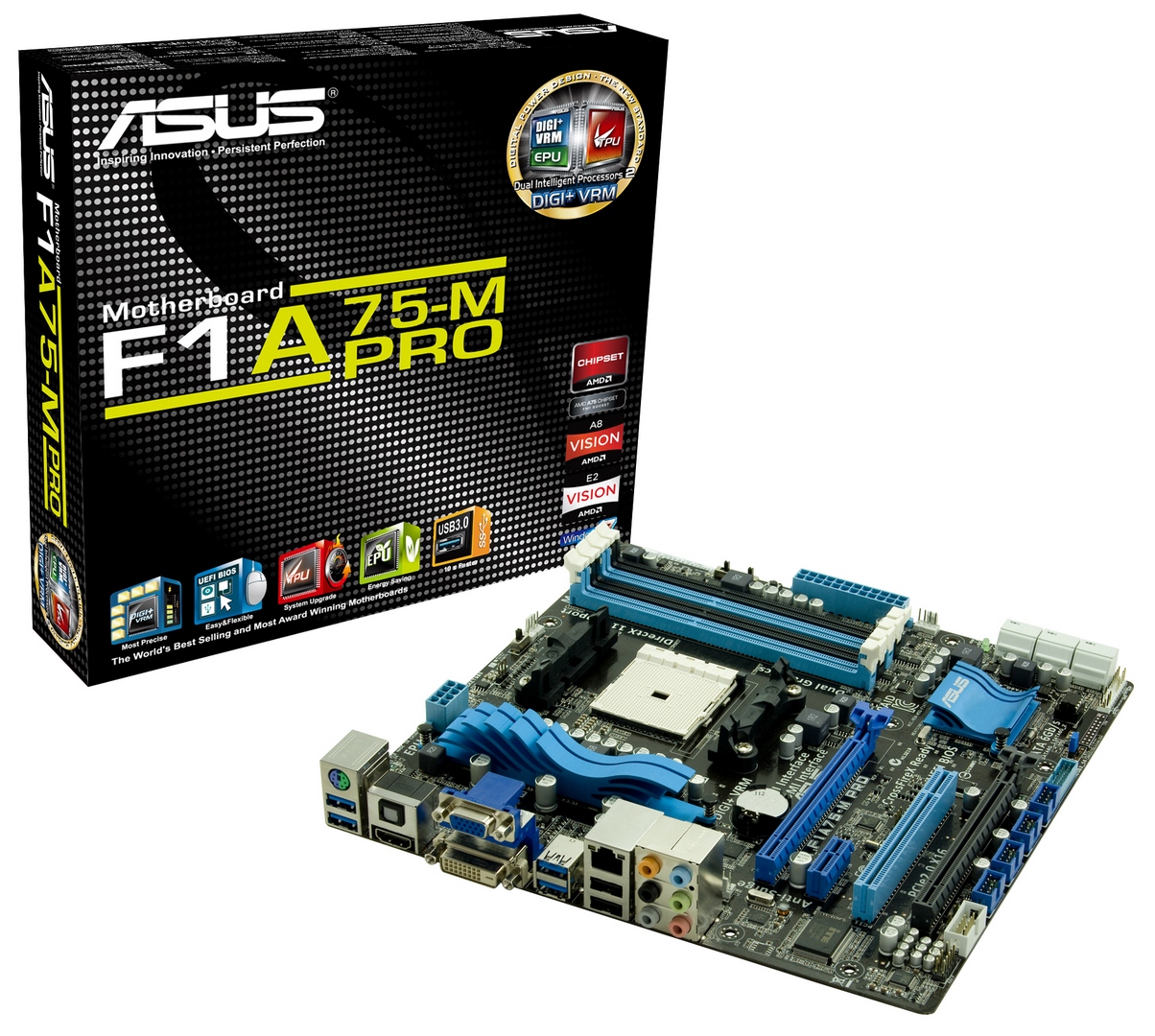
Introducing ASUS F1A75-M Pro


  ASUS F1A75-V Pro ASUS F1A75-M Pro ASUS F1A75-I Deluxe
Size ATX Micro ATX Mini-ITX
Price (01/16) $120 $110 $140
Power Phase 6+2 4+2 4+2
Memory 4 x DDR3 4 x DDR3 2 x DDR3
PCIe 1 x PCIe x16
1 x PCIe x4
2 x PCIe x1
3 x PCI
1 x PCIe x16
1 x PCIe x4
1 x PCIe x1
1 x PCI
1 x PCIe x16
CrossfireX/SLI APU + Normal CrossfireX APU + Normal CrossfireX APU CrossfireX
Audio Realtek ALC892 Realtek ALC892 Realtek ALC892
LAN Realtek 8111E Realtek 8111E Realtek 8111E
SATA 6 Gbps 7 + 1 eSATA 6 4 + 1 eSATA
USB 3.0 4 + 2 4 + 2 2 + 2
USB 2.0 2 + 8 2 + 8 4 + 2

Size obviously has advantages - a full size ATX board has room for better power delivery, a broader range of PCI/PCIe options, and scope for more controllers (e.g. SATA 6 Gbps).  In the micro-ATX smaller form factor, most of the features are still there - ALC892 audio, gigabit Ethernet, at least 6 SATA 6 Gbps ports, 4 USB 3.0 ports, and opportunities for up to 16 GB of memory with 4 GB DIMMs.  It's only on the mini-ITX we lose some functionality - only 4 SATA 6 Gbps on board (plus one eSATA), room for only 8 GB of memory, and no PCI/PCIe x1 slots.  But the advantage of a small board is primarily its size, for a sleeker and slimmer system.  The question then becomes whether the F1A75-M Pro, the micro-ATX board, is worth $10 less than the ATX board as a whole.
 
Visual Inspection
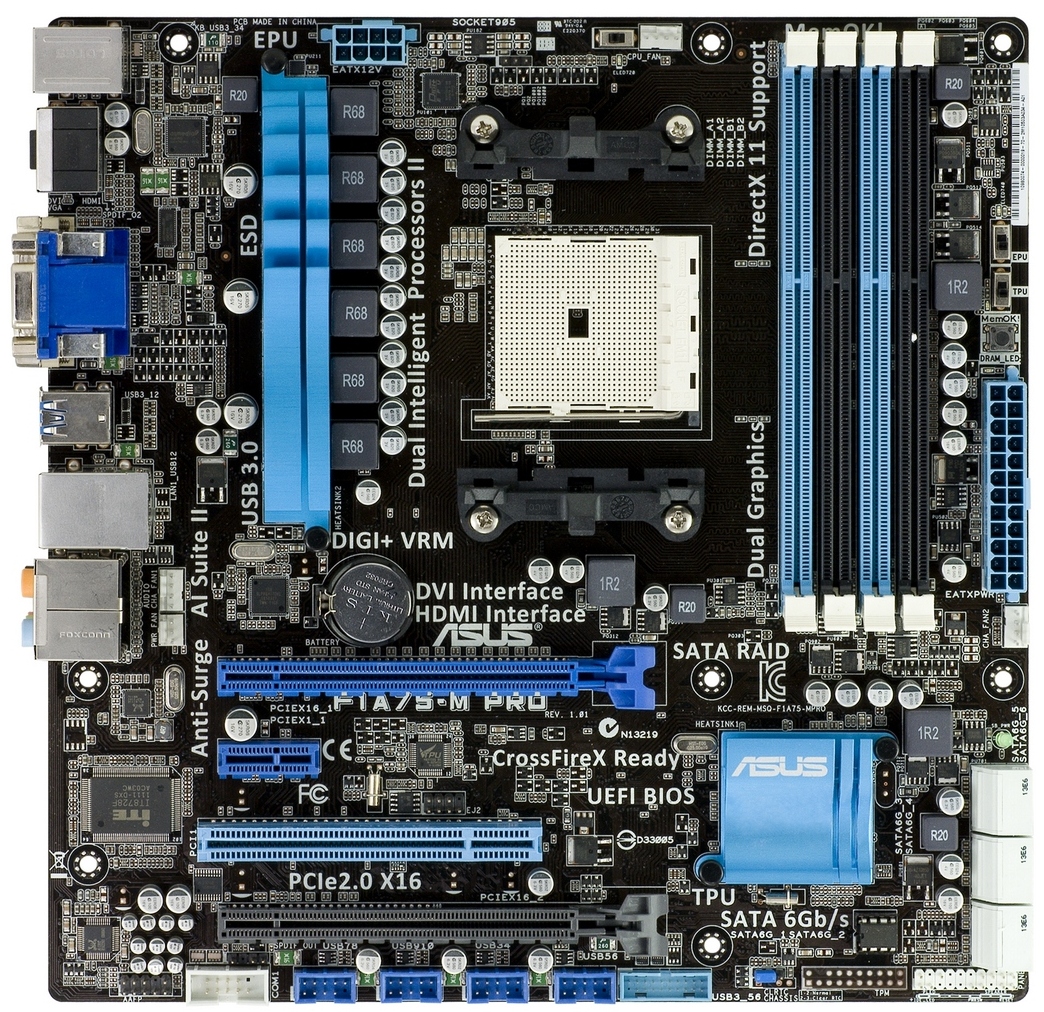
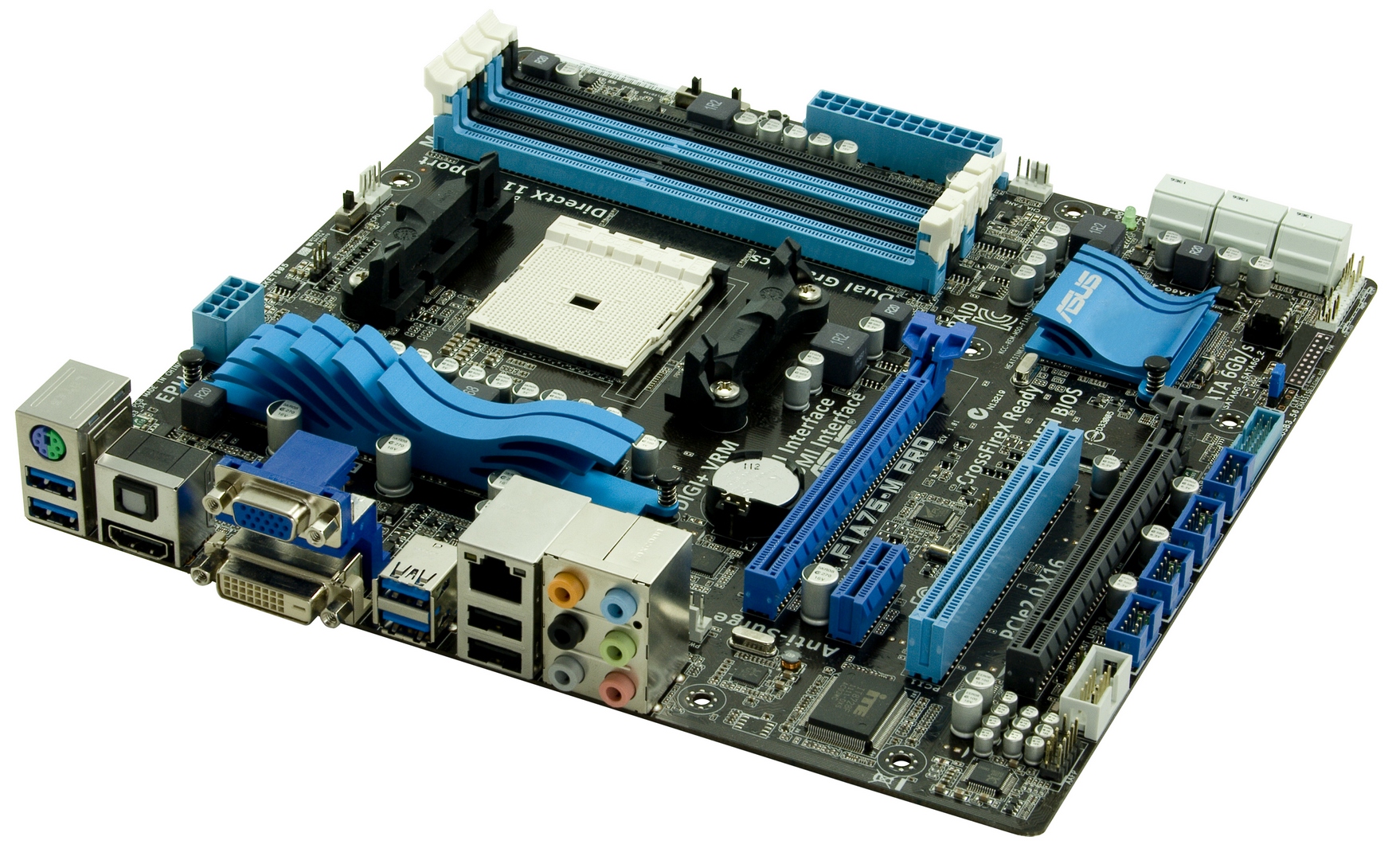
The black and blue livery of ASUS systems of late has been the stalwart of their consumer level line-up, and appears again here on the F1A75-M Pro, with a little white for the SATA ports.  The wavy design with pretty substantial fins for both the VRM and South Bridge heatsink could be considered more style rather than substance, but due to the motherboard supporting 100 W processors, the VRM heatsink may be required to shift a lot of heat and it should be sufficient to cope due to ASUS’ careful attention to detail in their design.

We also have EPU and TPU (Energy Processing Unit and Turbo Processing Unit) chips present.  These two have separate roles - to reduce the carbon footprint of your computer with the EPU processor, and the TPU processor is there to diagnose the system for an optimal overclock when either the TPU switch is used or the BIOS option is enabled.

Working our way around the board, you will notice that there are four fan connections available. The CPU fan is located above the socket, and in the lower left half of the socket area there are two more fan connections available - one of them is a PWM based chassis fan header whilst the other is the PWR header which is 3-pin. The final header can be found on the right-hand-side of the motherboard just below the 24-pin power and it is a chassis fan which is also PWM based. Unfortunately, you do not have option to control the two chassis fans independently in the BIOS nor in the software.

Looking at the expansion options on this motherboard; there are two PCIe x16 slots which run at x16/x4 when in a CrossFireX setup, resulting in limited bandwidth of the second GPU, as detailed in our previous A75 reviews. Also on board is a PCIe x1 as well as a single PCI slot.
As SATA 6 Gbps is native on this platform, there are no SATA 3 Gbps ports to be found. There are six ports in total and they support RAID with the option to use RAID 0, RAID 1, RAID 10 or JBOD.  These are all in white on the bottom right of the board.
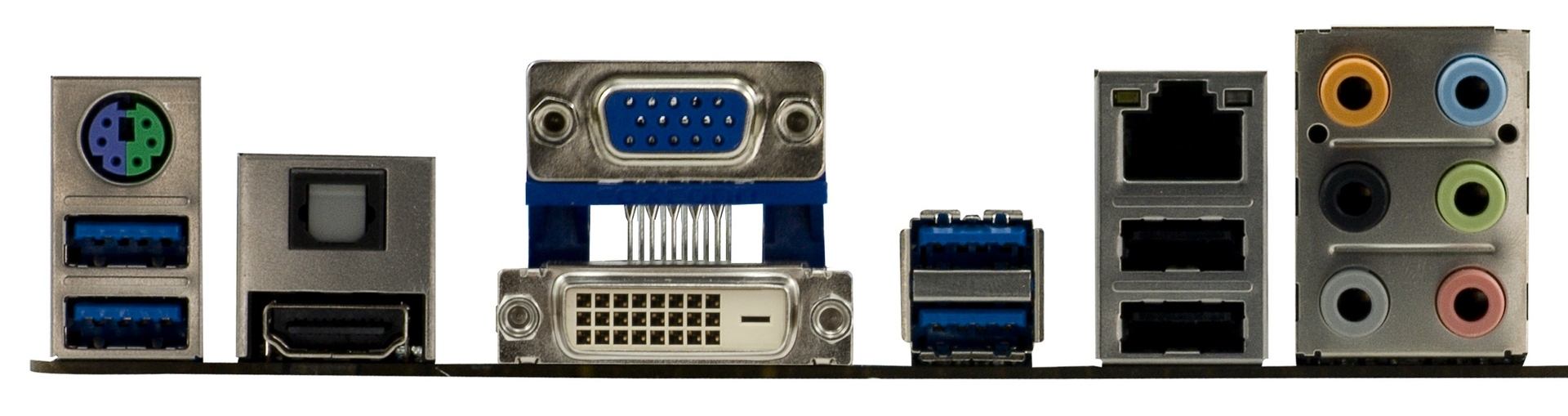
On the back panel of the board, from left to right, we have a combined PS2 port, two USB 3.0 ports, a HDMI output, an optical SPDIF output, as well as VGA and DVI-D ports for your display outputs. Further along, there are two more USB 3.0 ports and two USB 2.0 ports with a gigabit LAN port above. Lastly, there are the six ports for your various sound inputs and outputs.